Valheim BakaLoader

Run your modded Valheim server from one window. Mods, restarts, players, and a live map of your actual world.

Free Valheim dedicated server software for Windows. A full server manager, self-hosted on your own PC, no command line. Works with Valheim 1.0.

free · no installer · unzip and run · Windows 10 / 11

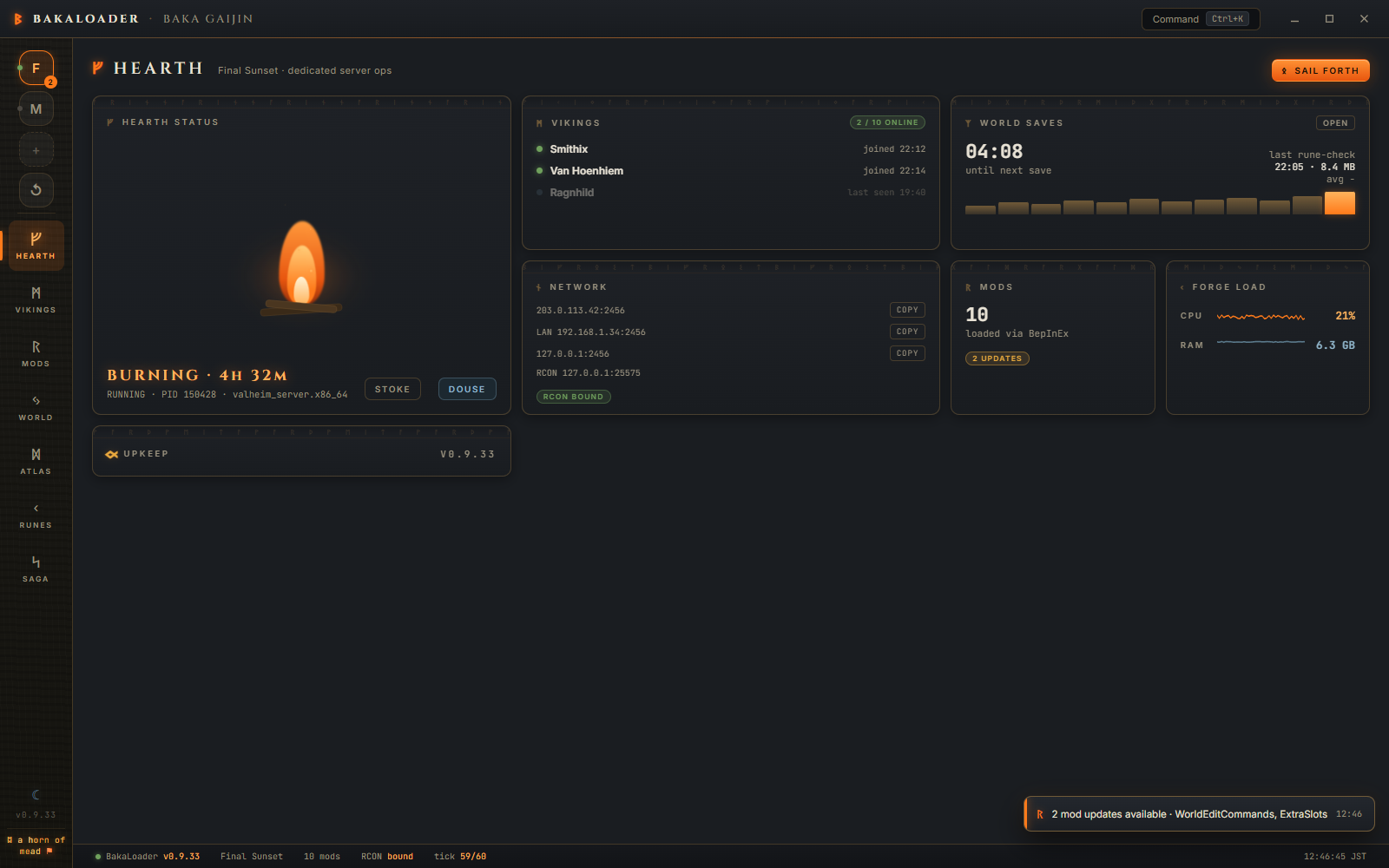
Valheim BakaLoader server manager dashboard

Everything a Valheim server host needs

BakaLoader replaces the batch files, the console window nobody is allowed to close, and the mystery crash at 2am. Host a Valheim dedicated server, vanilla or heavily modded, and manage it like an app. Everything below is documented in the wiki.

One-click hosting

Start and stop your self-hosted Valheim dedicated server from a live dashboard. A first-launch wizard handles setup, ports, and world creation.

Mod auto-updates

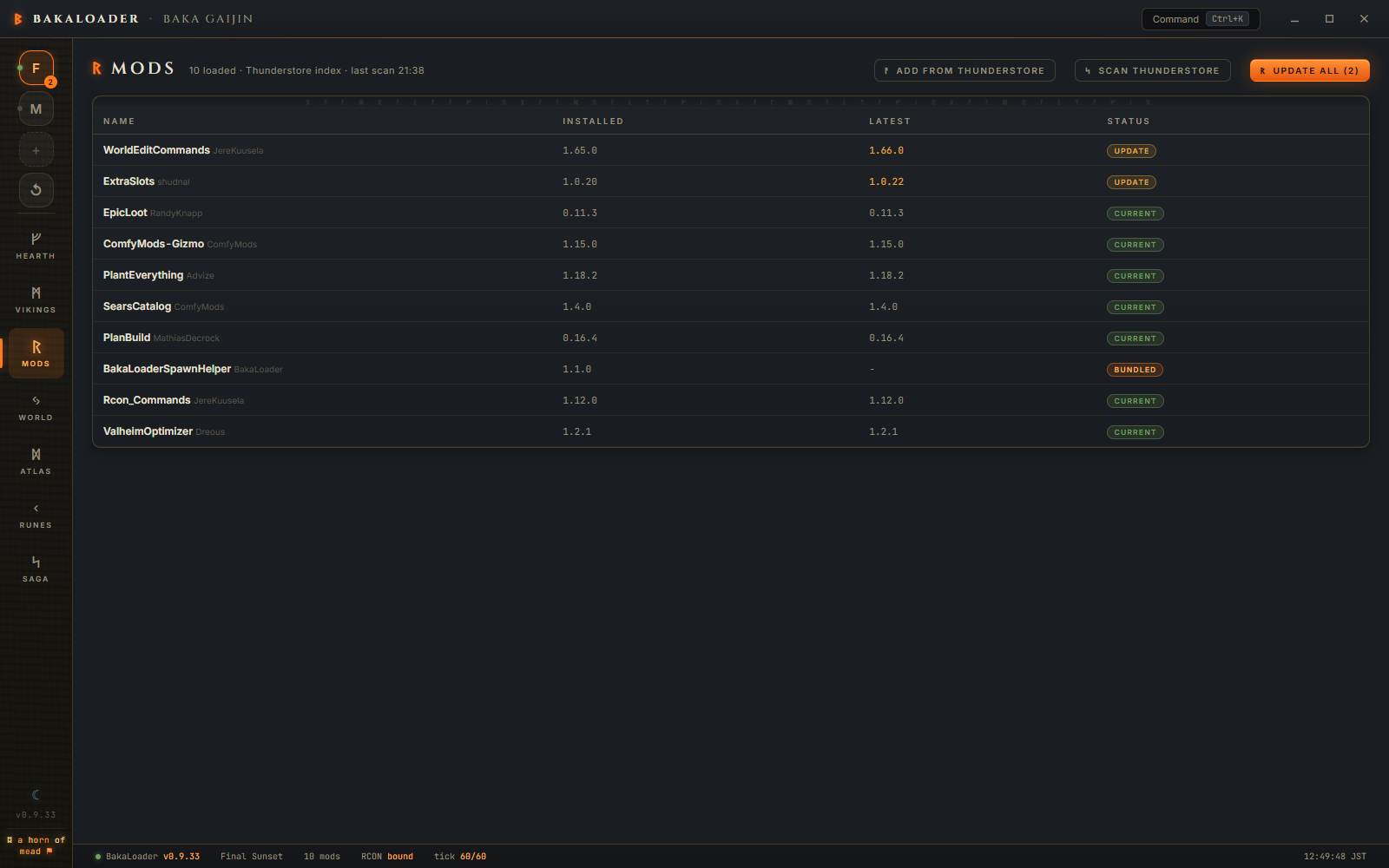
Scans your BepInEx mods against Thunderstore and updates them on your schedule, or automatically while the server is empty. Paste a Thunderstore link to install.

Scheduled restarts

Restart on a timer with in-game countdown warnings so players can reach a bed first. Auto-restart when the server sits empty.

Live world map

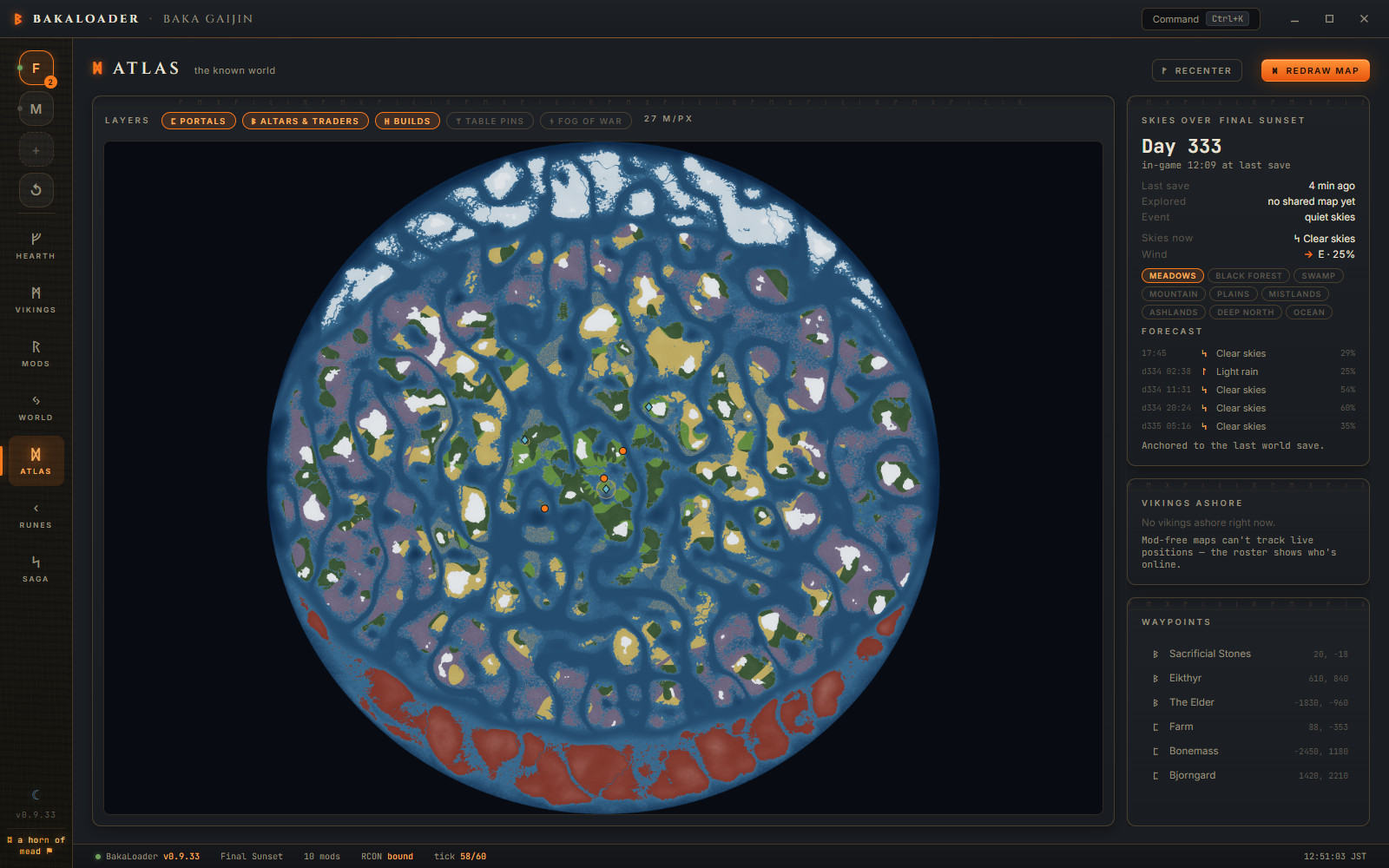
The Map screen renders your actual world from its seed, with no map mods required. Fog of war follows what your players have recorded at cartography tables, and the Deep North and the Ashlands use the game's own terrain formulas. A weather forecast comes with it.

Player management

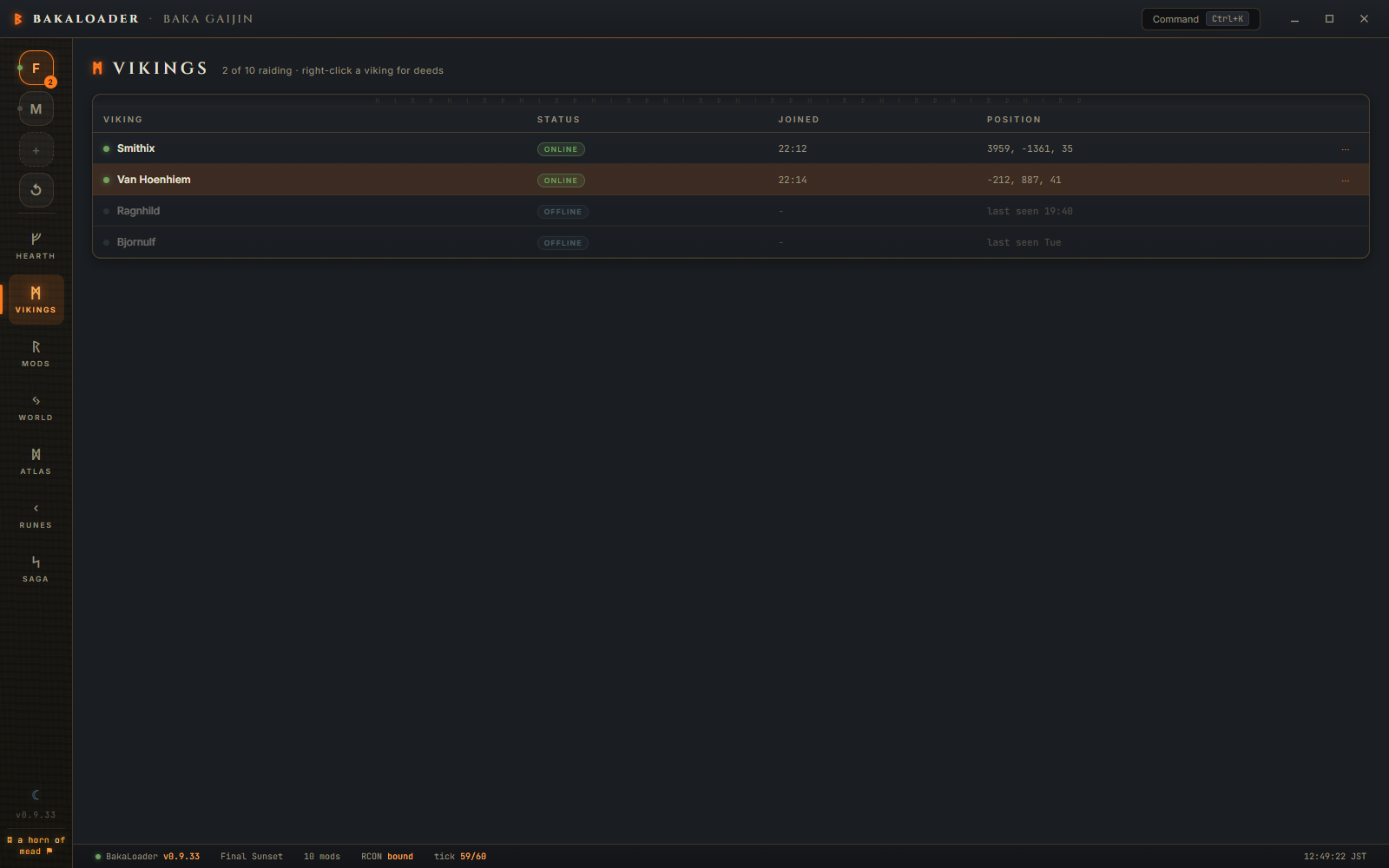
See who is online, where they are standing, how long they have played, and right-click for admin, whitelist, kick, ban, heal, teleport or item spawning.

Backups and logs

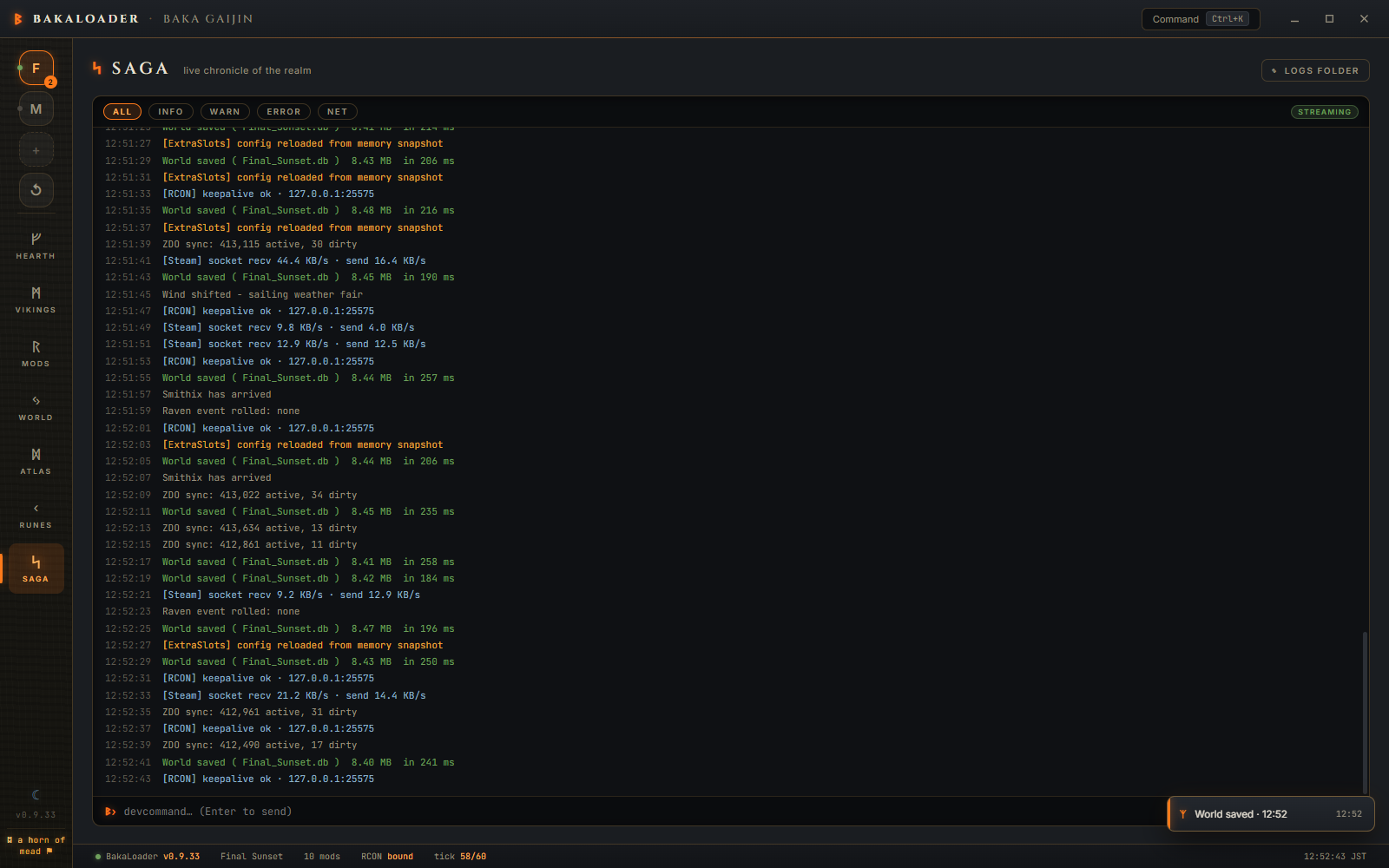
Every backup layer for every world, with one-click restore that copies the live world aside first. Plus a searchable live log, config file editing, and one Discord post that keeps itself up to date.

Server updates

When Steam has a Valheim server update waiting, BakaLoader offers to copy your worlds aside, run the update through Steam or steamcmd, and start the server. It never starts the old build behind your back.
A look inside

Nine screens, one window: dashboard, players, mods, settings, map, configs, log, Discord status and statistics. Plain names first, Norse names as captions, and a header with Start or Stop on every screen.

Valheim world map rendered from seed with fog of war and weather forecast
ᛞ Map (Atlas): your world drawn from its seed, with fog of war, portals, builds and a forecast. No mods needed.
Thunderstore mod manager with automatic update checking
ᚱ Mods: a Thunderstore scan of your BepInEx folder, update one or update all, or paste a link to install.
Online player roster with right-click admin management
ᛗ Players (Vikings): platform, session, playtime, deaths and live position, with a menu for everything else.
Live Valheim server log with search and level highlighting
ᛋ Log (Saga): the live server log with levels, search and a console line, plus a file per session.

Host a Valheim server in minutes

No Docker, no SteamCMD scripts, no rented hardware. If your PC can run Valheim, it can host it. The install guide has the long version.

Download and unzip.

Grab the latest release, unzip it anywhere, and run ValheimBakaLoader.exe. No installer.

Follow the wizard.

The first-launch wizard finds (or helps you install) the Valheim dedicated server, names your world, and sets the password.

Start the server.

Press Start. Share your address from the dashboard, set a restart schedule, and let mod updates run on their own.

Questions

Is this really free Valheim server hosting?
Yes. BakaLoader is free software that runs the official Valheim dedicated server on your own Windows PC. You self-host, so there is no monthly fee and no rented server. Your only costs are the electricity and bandwidth you already pay for.
Does it work with mods?
That's the point. BakaLoader manages BepInEx mods, scans them against Thunderstore, updates them on a schedule or while the server is empty, and installs new mods from a pasted Thunderstore link. It was built running a 60-plus mod server. How that works.
Do I need to know the command line?
No. Install, world creation, ports, mods, restarts, backups and player admin all happen in the app. There is no console window to babysit.
What are the requirements?
Windows 10 or 11, the .NET 6 desktop runtime, and enough headroom to run the Valheim dedicated server (it is light, a few GB of RAM). You do not need to own Valheim on the hosting machine; the dedicated server is a free Steam tool.
Can my friends join from outside my network?
Yes. Like any self-hosted Valheim server you forward the game's two UDP ports on your router, 2456 and 2457 by default, and the network guide walks you through it with screenshots. Crossplay needs no forwarding at all, and you can point a domain name at your server instead of sharing an IP.
Does it update Valheim itself?
Yes, since 1.0.1, in two of three cases. A server installed by steamcmd is updated with steamcmd. A server in your Steam library is handed to Steam, and BakaLoader watches the download until it is whole. An install it cannot identify is not touched, and it says so and offers to open Steam. Your worlds are copied aside first either way. The detail.
Does it work with Valheim 1.0?
Yes. Valheim 1.0 stores each world as a folder, changed the id format in the admin, ban and allow lists, and added PlayStation and Switch players. BakaLoader lists and backs up both world formats, writes the new id form, shows console players in the roster, and asks before it starts a server on a new build so you can back up first. See world file formats.
Is it open source?
The source is available to read on GitHub under a source-available license: free to download and run, including for donation-supported community servers.